 MyLens
You shoot a lot and keep very little.
Hundreds of frames, a handful you like. You can't say why those few work.
MyLens reads your own photographs, finds what is holding them back, tells you what to shoot next and builds a programme around you. For phone and camera. Learn to see. Then make the photograph.
Request free beta access →Free while we test. iPhone through TestFlight, or the web app for everyone else.
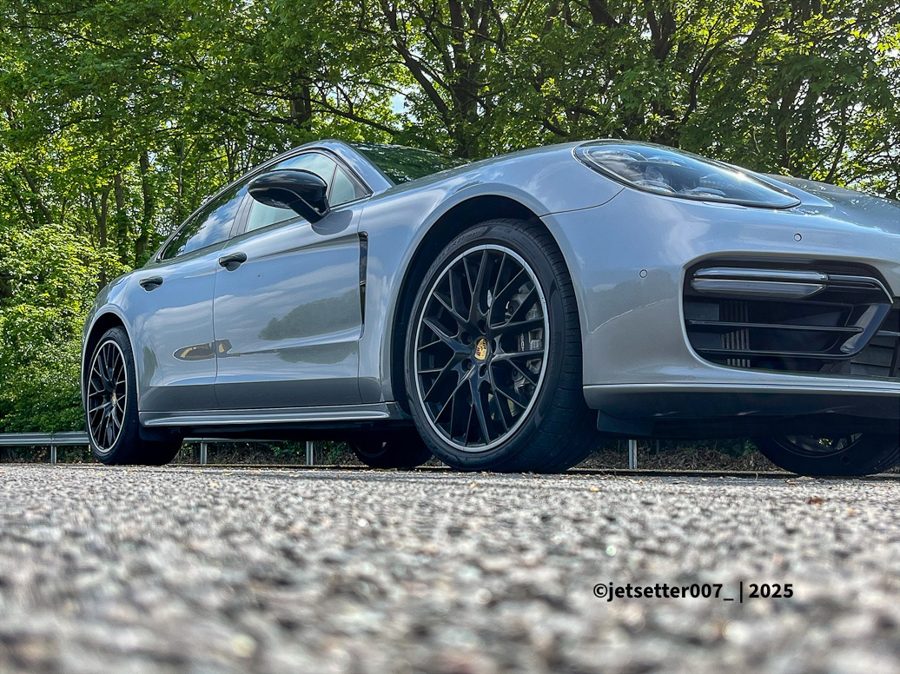
A real MyLens reading
“The light is flat on the car, with no shadow or highlight that suggests the ‘moment before motion’.”
Your next shootOne frame tight on the wheel and arch, one of the whole car, and one waiting for a shaft of light or shadow to fall across the bodywork.
One photograph, read by MyLens during testing. It finds the weakness and tells you what to shoot next. MyLens can make mistakes.
The MyLens method
What is it? Say it in two or three words.
What is happening? A photograph needs a moment.
What makes it interesting? Why this, not something else?
What makes us wonder, or feel something?
What did you do to make the viewer see it?
Why it exists
Better gear does not fix it. Another filter does not fix it. Seeing the photograph first does.
Hundreds of frames, a handful you like. You can't say why those few work.
The light is fine and the subject is there, yet the photograph sits flat. Nobody tells you what is missing.
Rules of thirds and exposure triangles are covered. What you need is someone reading your work.
“A snapshot records what was there. A photograph makes a decision about what matters.”The idea behind MyLens
How it works
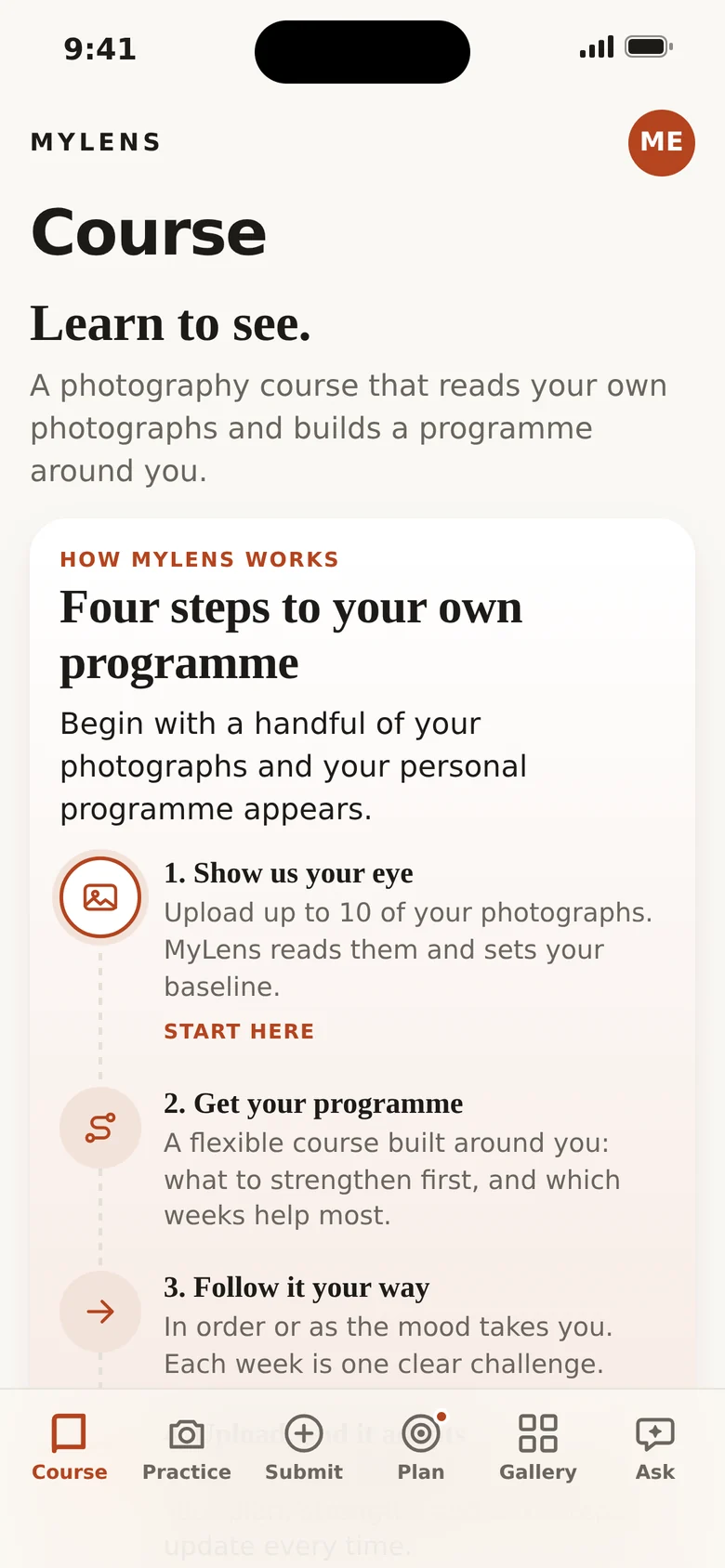
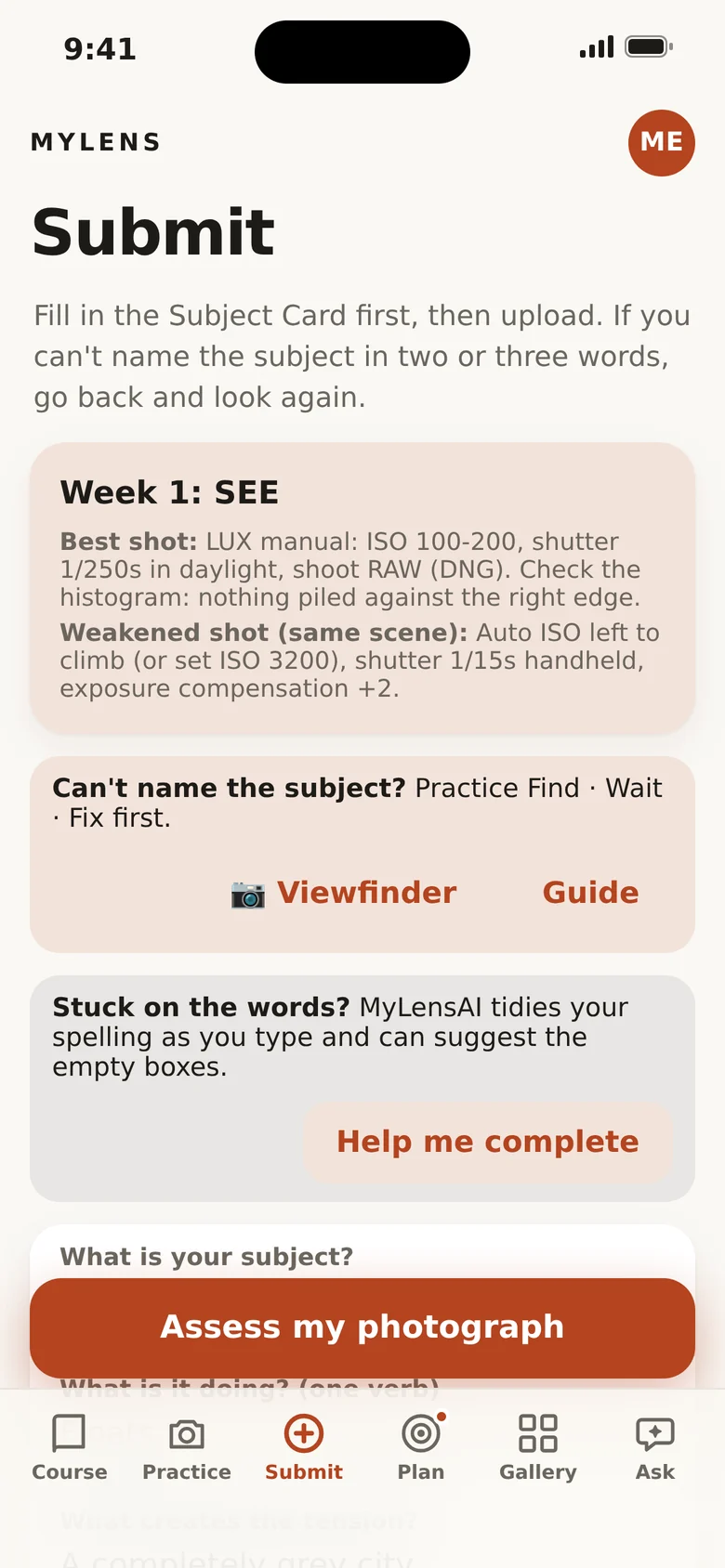
Upload up to ten of your own photographs. MyLens reads them and sets your baseline.
A flexible course built around you: what to strengthen first, and which weeks help most.
In order, or as the mood takes you. Each week is one clear challenge.
Send a photograph after each week. Your plan, strengths and next steps update every time.
Practice mode
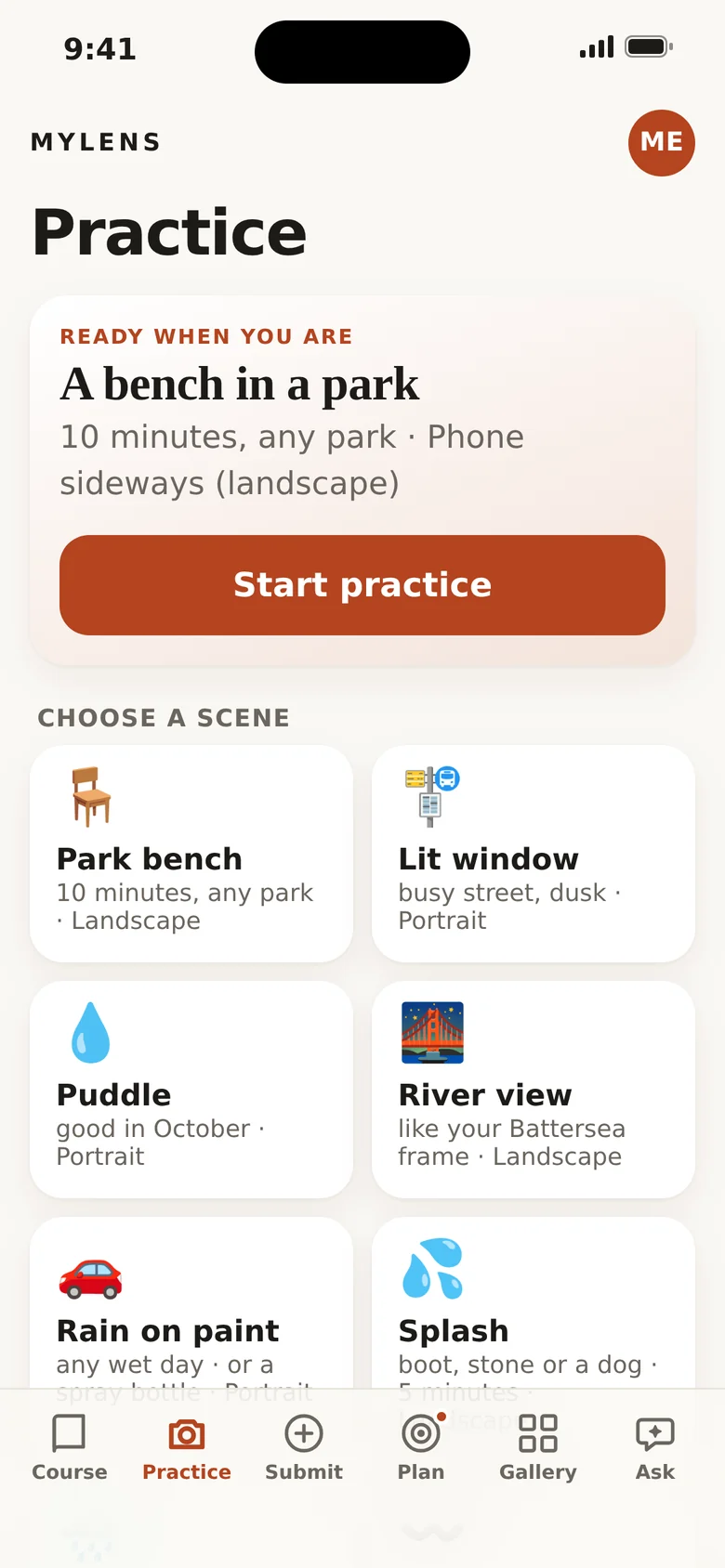
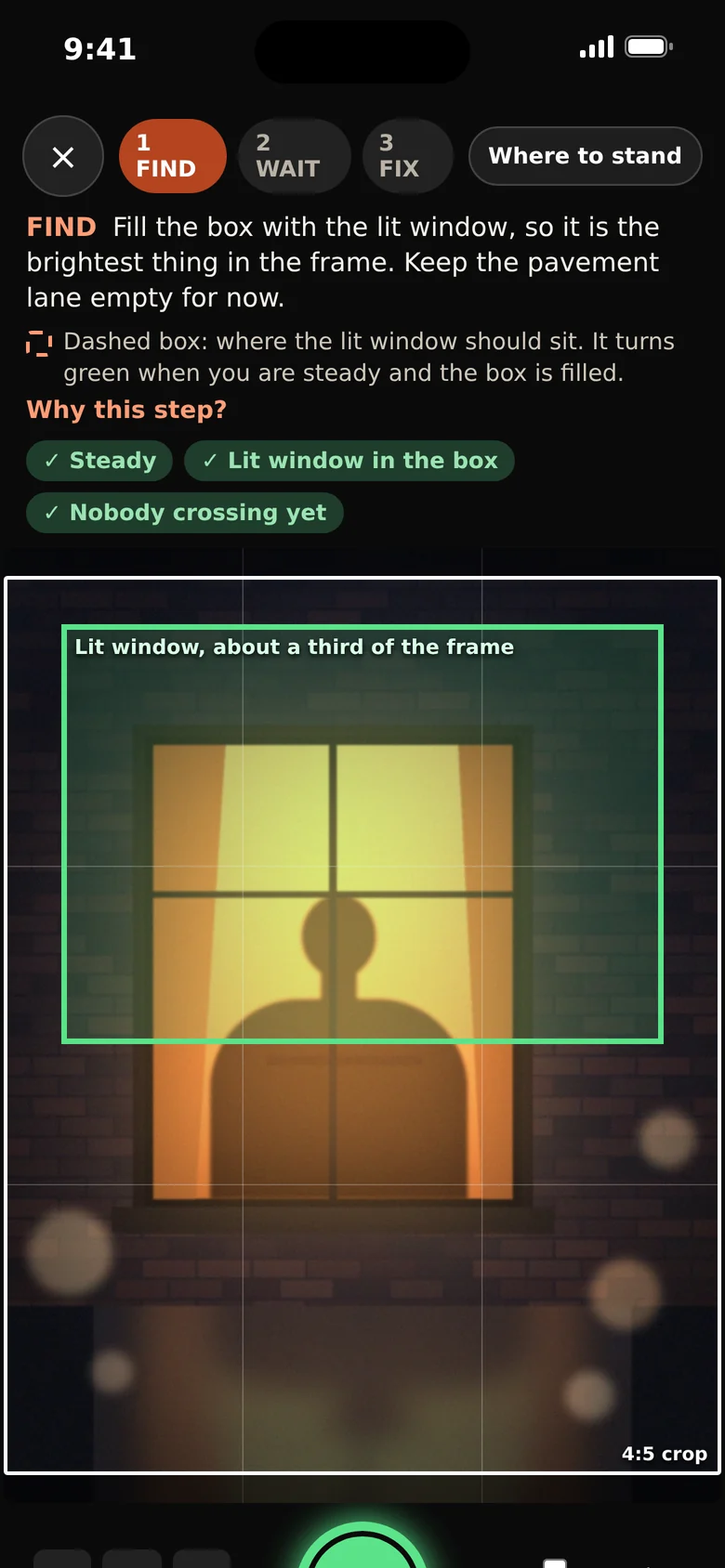
A live viewfinder coaches you through a real scene, a park bench, a lit window, a puddle, rain on paintwork, so the skill is in your hands before it matters.
Sample reading
No scores for the sake of scores. Each reading walks through the five questions, names what is working and gives you one challenge for the week.
Shoot the same stop again and press the shutter a second earlier, while the bus is still entering the frame.
The sample above is illustrative, not a real member's photograph. MyLensAI can make mistakes.
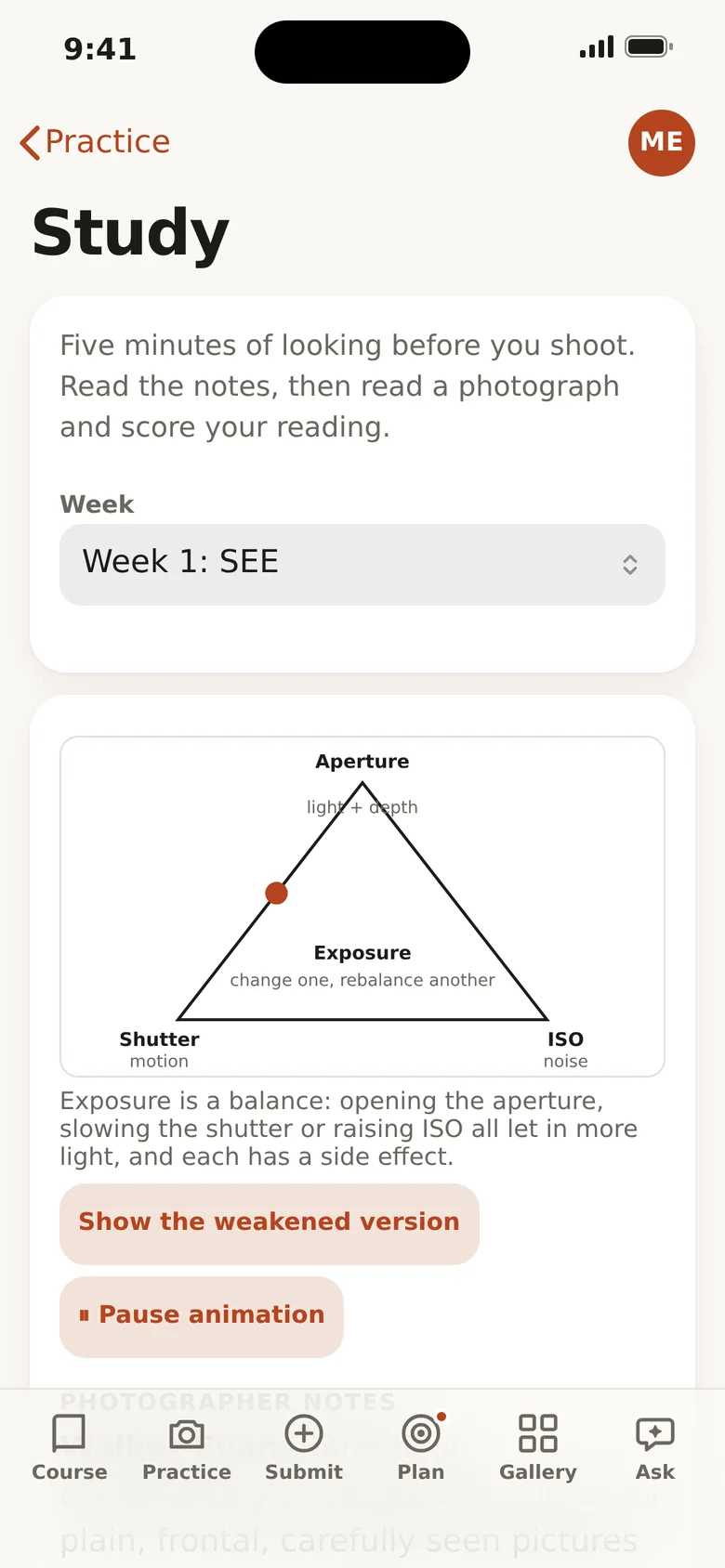
A look inside
Designed for use on the go: large touch targets, plain English, and text that is never cut off.
What you get
Rehearse real scenes with on-screen guidance for framing, steadiness and timing.
Built from your own photographs: your signature, your strengths, and the gap to close first.
Read a photograph, score your reading, and learn from photographers who looked closely.
Settings, light, composition, gear. Ask a question, or attach a photograph and ask about that.
Competition and pitch agents that work from your photographs and how far you are from the standard.
Photographs you submit appear in your group's gallery, to read and critique together.
Whatever you shoot with
MyLens reads the photograph, not the badge on the body. Upload your work from any camera and get guidance that fits how you shoot.
Built for
Move from snapshots to photographs with one clear idea at a time.
Find out what is holding your best work back, and fix it.
DSLR, mirrorless or phone: settings guidance for your kit, including Leica LUX and ProCam.
Run a course, share a gallery and read each other's work together.
Questions
Can't see yours? Write to us from the Support page.
A photography course for anyone who shoots, on a phone or a camera. It teaches one method, Subject, Verb, Tension, Story and Decision, reads your own photographs against it, and builds a programme of weekly challenges around what it finds.
Any camera. Upload photographs from a phone, a mirrorless or a DSLR and MyLens reads them, with settings guidance for your kit. Practice mode uses your phone's camera. The app itself is iPhone first, delivered through Apple's TestFlight during the private beta. If you would like Android, tell us when you join and we will count your vote.
Not to join the beta. Request free beta access and we will email you a personal link and an invite code that gets you in.
Photographs you submit, and the text you write, are sent to Anthropic's Claude so it can write your feedback. They are stored privately for your group, and submitted photographs appear in your group's gallery. Practice frames stay on your phone until you save or submit them. You can delete all of your data at any time from inside the app.
No. MyLensAI reads quickly and consistently, and it can make mistakes. It works best next to people who look at your photographs with you.
We have not announced pricing yet. Beta testers will hear first.
Early access
Testers get MyLens free during testing and help shape what comes next. Tell us what you use and we will email you a personal link: TestFlight for iPhone, or the web app for everyone else.
Free while we test. We will ask for your honest feedback.
Free private beta
Find out what is holding your photographs back. Free while we test.
Request free beta access →